Filling the Jar
A jar is only as good as the ideas inside it. We've made it incredibly easy to fill yours with exciting things to do.
Manual Entry
Click the "Add Idea" button to manually enter a suggestion. You can specify:
- Categories: Tag ideas as Meals, Activities, or Events.
- Attributes: Set the estimated cost ($, $$, $$$), activity level (Low, Medium, High), and duration.
- Details: Add addresses, links, or specific notes.
Structured Idea Types
Go beyond simple text. Spin the Jar now understands Structured Types for common activities. This unlocks specialized forms and data-rich details:
🎬 Movies
Track directors, runtimes, and watch modes. Includes one-tap access to trailers.
📖 Books
Save authors, formats, and Goodreads links for your reading wishlist.
🍳 Recipes
Store ingredients and cooking instructions. Use "Cook Mode" for a focused kitchen view.
🎮 Games
Log platforms, estimated playtime, and co-op status for your next game night.
Magic Fill (Smart Suggestions)
Feeling uninspired? Use the Magic Fill feature. Look for the magic wand icon in the "Add Idea" modal.
When you click it, our system looks at your jar's theme (if you set one) and your current location to suggest a real, high-qualityvenue or activity. It automatically fills in the name, description, website link, and even the estimated cost and duration for you.
Voice Input (AI-Powered)
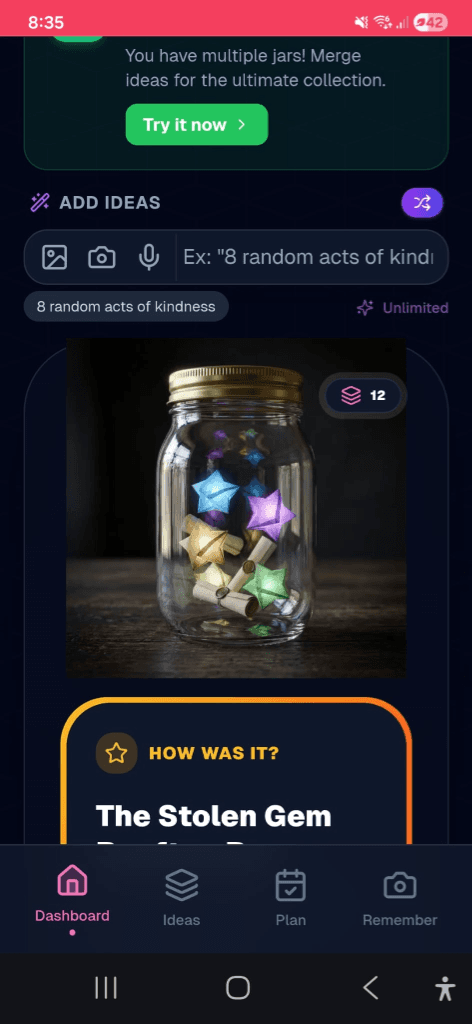
Don't want to type? Use your voice. Tap the microphone icon in the input bar and speak naturally. Our AI will transcribe your words and automatically categorize the idea—setting the location, price, and duration for you!
surprise Ideas
Sometimes the best dates are surprises. You can add a Surprise Idea that hides its name and details from your partner or group. The idea will only be revealed once it is selected!
Mystery Jars
For the ultimate adventure, enable Mystery Mode in your Jar Settings. This hides every idea in the jar pool.
Bulk Operations
Need to fill a jar quickly? Use Bulk Generate to let AI populate your jar with dozens of relevant ideas at once — just describe what you're looking for and the AI handles the rest.
Need to clean up? Admins can Bulk Delete multiple ideas at once from the jar management tools, making it easy to curate your jar without removing items one by one.
Idea Moderation
In group jars, admins can enable Idea Moderation. When active, ideas submitted by members go into a pending queue until an admin approves or rejects them. This keeps the jar quality high and prevents unwanted entries.
💡 Pro Tip
In a group jar, everyone can add ideas. Encourage your friends to add things so the jar becomes a community wishlist!