Making Choices
The moment of truth. How you decide depends on your mood and the group dynamic.
Method 1: Spin the Jar
Perfect for quick decisions or romantic dates. Click "Shake the Jar" to let our algorithm pick a winner.
Smart Filters
Don't just leave it to pure luck. You can apply filters before you spin:
- Budget: Only show "Free" or "$" ideas if you're saving up.
- Vibe: Filter by "Indoor" or "Outdoor" based on the weather.
- Time: Choose ideas that fit your schedule (e.g., only "1 hour" activities).
Method 2: Voting Rounds
In larger groups, a random spin might cause arguments. That's why we built Voting Mode.
The Admin can start a voting round. Members are presented with a selection of ideas and can cast their vote. The system handles ties automatically with a random tiebreaker or a second run-off round.
📅 Committing to a Date
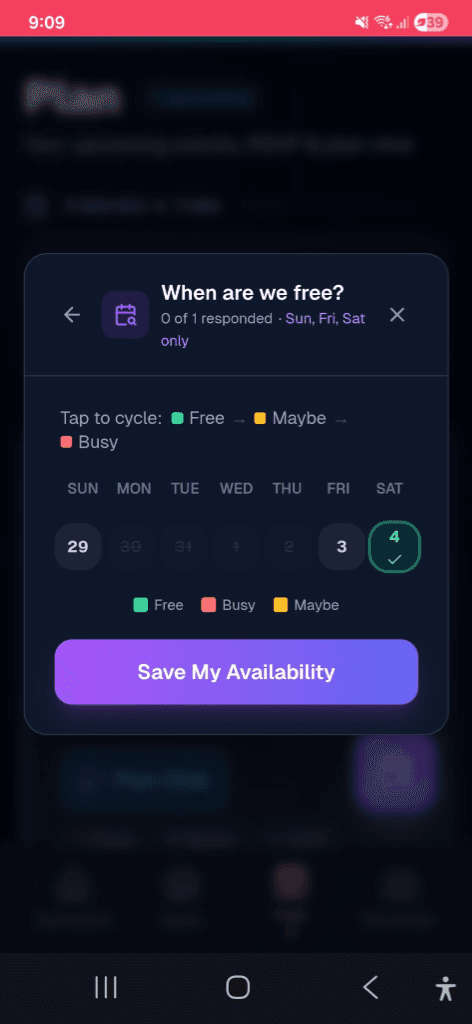
Once a winner is chosen, you can select the Date and Time. This moves the idea from your "Jar pool" into yourMemories list, so you don't pick the same thing twice next week!
👨🍳 AI Recipes (New)
Planning a meal? Pro users can now generate full AI recipes for any food-related idea, complete with ingredients and cooking methods.
Method 3: Guided Filters
Not sure what you're in the mood for? Use Guided Filters to narrow down your jar before spinning. Filter by budget, duration, energy level, or vibe — so the jar only picks from ideas that match your current mood.
RSVP & Capacity
Once an idea is chosen, you can set a capacity limit and enable RSVP. Members can respond with Yes, No, or Maybe. When the capacity is reached, the event is automatically marked as full — perfect for dinner reservations or group activities with limited spots.
Recurring Events
Got a regular game night or weekly dinner? Set any idea to repeat on a schedule — daily, weekly, monthly, or a custom interval. The system automatically creates the next occurrence, so your squad never forgets.
Group Announcements
Admins can post pinned announcements to the jar. These appear prominently for all members — great for sharing updates, reminders, or coordination messages without starting a full chat thread.
Voting Rounds (Squad Mode)
The ultimate collaborative experience. Admins can start a Voting Session where everyone in the squad participates in real-time.
- Real-time Presence: See who is active and voting at any moment.
- Fairness Guards: You can't vote for your own ideas, ensuring a truly democratic outcome.
- Winner Reveal: A shared "Celebration Moment" triggers for the whole squad once the final vote is cast.